Desk Setup Tips for Focus and Comfort
Creating a workspace that supports both focus and comfort is essential for productivity and well-being. Whether you work from home or spend hours at an office desk, the way your space is set up can make a big difference. In this post, we’ll explore practical desk setup tips to help you stay comfortable and maintain concentration throughout your workday.
Why Desk Setup Matters
A thoughtfully arranged desk can reduce physical strain, minimize distractions, and help you stay organized. When your workspace supports your body and mind, you’re more likely to be productive without feeling fatigued or stressed.
Choosing the Right Desk
Size and Shape
– Consider your tasks: If you work with multiple monitors, large documents, or creative tools, choose a desk with enough surface area to accommodate everything.
– Shape matters: Rectangular desks are the most common, but corner or L-shaped desks can help use space efficiently and keep everything within reach.
Height
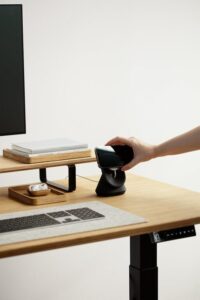
– A desk at the correct height is key to comfort. Standard desks are usually around 29-30 inches tall, but if you’re taller or shorter than average, consider an adjustable-height desk or use a keyboard tray.
Chair Selection and Positioning
The chair is just as important as the desk. An ergonomic chair supports your back, encourages good posture, and reduces strain.
– Adjustability: Look for chairs with adjustable seat height, backrest angle, and armrests.
– Lumbar support: Good lower back support prevents pain and encourages sitting upright.
– Feet flat: Your feet should rest flat on the floor or a footrest, with knees at about a 90-degree angle.
Monitor Placement
Proper monitor placement reduces eye strain, neck pain, and helps you maintain focus.
– Eye level: The top of the screen should be at or slightly below eye level.
– Distance: Position the monitor about an arm’s length away.
– Angle: Tilt the screen slightly upward or downward to avoid glare and neck strain.
If you use multiple screens, arrange them side-by-side at the same height and distance. Position the primary monitor directly in front of you.
Keyboard and Mouse Setup
Typing and clicking should feel natural and strain-free.
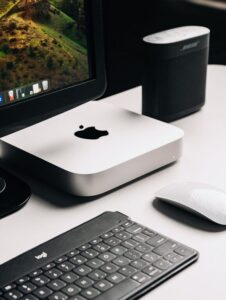
– Position: Keep the keyboard and mouse close enough that your elbows stay close to your body.
– Height: Your elbows should be at about a 90-degree angle when using the keyboard.
– Wrist position: Use a wrist rest or a padded desk surface to keep wrists straight and reduce pressure.
Desk Organization Tips
A tidy desk helps minimize distractions and keeps everything you need within reach.
Declutter Regularly
Remove unnecessary items and papers every day. Keep only essential supplies on your desk.
Use Organizers
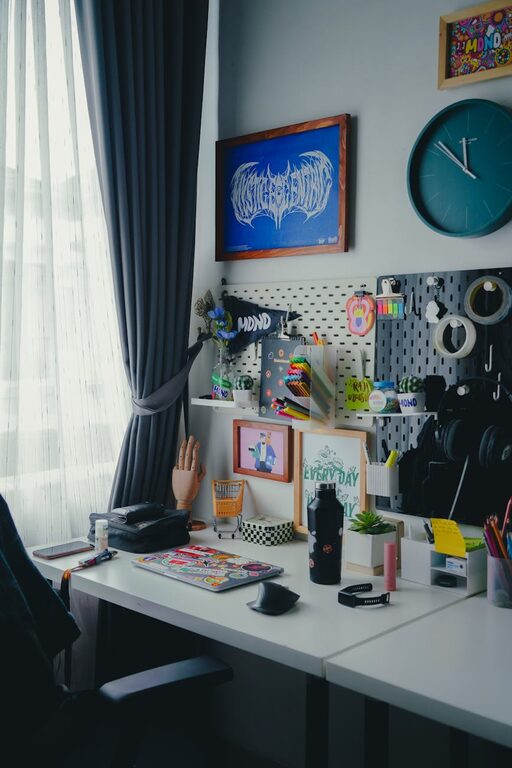
– Drawer organizers, trays, or small containers can keep pens, paper clips, and notes neatly arranged.
– Vertical storage like file holders or shelves can clear desk space and keep documents accessible.
Keep Personal Items Minimal
A few personal touches like a plant or photo can boost mood but avoid overcrowding your space.
Lighting for Comfort and Focus
Good lighting reduces eye strain and keeps you alert.
– Natural light: Position your desk near a window if possible, but avoid glare on your screen.
– Task lighting: Use a desk lamp with adjustable brightness and positioning.
– Color temperature: Aim for neutral-white light (around 4000K) which is easier on the eyes and helps concentration.
Add Elements for Comfort and Focus
Use a Footrest
If your feet don’t rest flat, a footrest supports your posture and reduces leg fatigue.
Incorporate a Standing Option
A sit-stand desk or desk converter allows you to change positions throughout the day, which can improve circulation and energy levels.
Include Greenery
Plants add freshness, improve air quality, and can reduce stress.
Keep Hydrated and Take Breaks
Place a water bottle on your desk as a reminder to drink. Regular breaks away from the desk help maintain focus.
Final Thoughts
A desk setup designed for focus and comfort contributes significantly to your daily productivity and health. Start by assessing your current workspace and making small adjustments—often, tiny changes lead to big improvements in how you feel and work.
Remember, your ideal setup should support your unique needs and habits. Experiment with these tips to create a desk environment that works best for you!