Desk Setup Tips for Focus and Comfort: Create Your Ideal Workspace
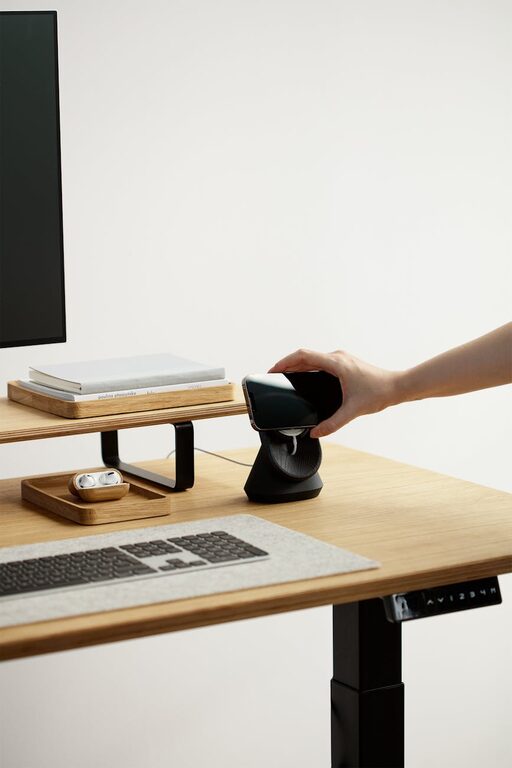
Creating an effective desk setup can have a big impact on your productivity and well-being. Whether you work from home or at an office, setting up your desk in a way that promotes focus and comfort helps you stay energized and minimize distractions. In this post, we’ll explore practical tips on how to arrange your workspace for maximum comfort and concentration.
Why Your Desk Setup Matters
An organized and ergonomic desk isn’t just about aesthetics—it directly influences your ability to concentrate and your physical health. A cluttered workspace can lead to stress, while poor ergonomics may cause discomfort, fatigue, or even long-term issues like back and neck pain. By thoughtfully arranging your desk, you create an environment that supports sustained focus and minimizes physical strain.
—
Choosing the Right Desk and Chair
Desk height and size
Select a desk that fits your space and work style. The desk height should allow your forearms to rest comfortably parallel to the floor when typing or writing. Standard desk heights range from 28 to 30 inches, but adjustable desks are ideal if you want to alternate sitting and standing positions.
Make sure the desk surface is large enough to hold your essentials—like your computer, notebooks, and a lamp—but not so large that it encourages clutter.
Invest in an ergonomic chair
A good chair is crucial for comfort. Choose one with adjustable height, lumbar support, and a seat depth that suits you. Your feet should rest flat on the floor or on a footrest, and your knees should be at about a 90-degree angle. Proper chair support helps prevent back pain and improves posture.
—
Positioning Your Monitor and Devices
Monitor placement
Place your monitor directly in front of you, about an arm’s length away. The top of the screen should be at or slightly below eye level to reduce neck strain. Using a monitor stand or adjustable arm can help you customize height.
If you use multiple screens, arrange them in a slight arc so your head doesn’t have to turn excessively.
Keyboard and mouse placement
Your keyboard and mouse should be on the same surface and within easy reach. Keep your wrists straight and your upper arms close to your body. Consider using a wrist rest or ergonomic keyboard and mouse to keep your hands comfortable.
—
Lighting for Comfort and Focus
Good lighting reduces eye strain and improves mood.
– Natural light is best. Position your desk near a window, but avoid glare directly on your screen.
– Use a desk lamp with adjustable brightness and direction to illuminate your workspace evenly.
– Choose cool white light (around 4000K), which helps maintain alertness without being harsh.
—
Organizing Your Desk for Productivity
Declutter regularly
Keep only essential items on your desk to reduce distractions. Store supplies you don’t use daily in drawers or containers.
Use organizers
Desk organizers, drawer dividers, or trays keep pens, paper clips, and tools tidy. Labeling storage can save time searching for items.
Personal touches
Add a plant, a photo, or art that makes the space pleasant without overwhelming it. Small personal touches can boost mood and motivation.
—
Incorporate Movement and Breaks
Sitting for long periods can drain energy and focus. Setting up your desk with movement in mind helps.
– Use a sit-stand desk or desk converter to alternate positions.
– Take short stretch breaks every hour.
– Keep your water bottle nearby to stay hydrated, encouraging regular breaks.
—
Additional Comfort Tips
– Use a footrest if your feet don’t comfortably reach the floor.
– Keep a blanket or sweater handy to stay warm without bulky layers.
– Maintain a comfortable room temperature and good air quality.
– If you wear glasses, get an anti-glare screen protector or ensure your prescription is up to date to reduce eye strain.
—
Final Thoughts
Creating a desk setup that promotes both focus and comfort doesn’t have to be complicated. By paying attention to ergonomics, lighting, organization, and small personal adjustments, you can build a workspace that helps you work efficiently and feel good throughout the day. Start with a few changes and adjust your setup as you discover what works best for you.
Remember, your desk is more than just a place to work—it’s the environment that supports your success and well-being. Take the time to design it thoughtfully, and you’ll see the benefits in your productivity and comfort.
Happy organizing!