
How to Declutter Your Digital Life for Better Focus and Productivity
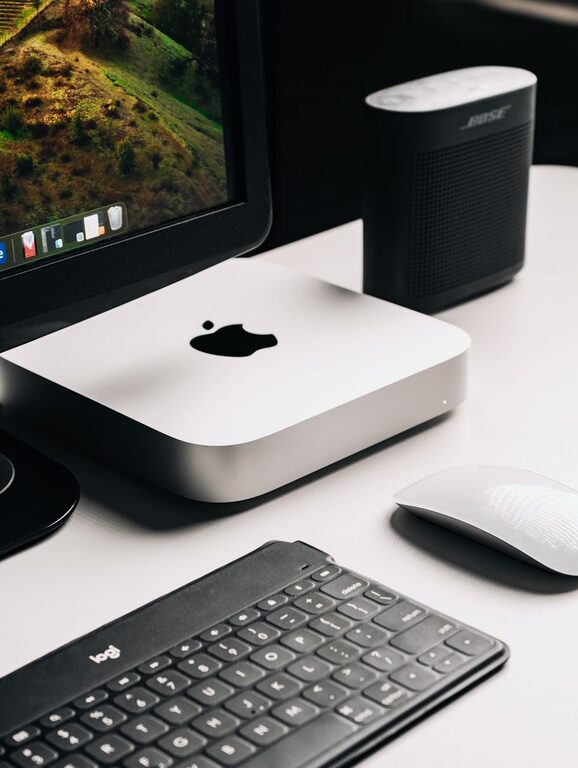
In today’s connected world, our digital spaces can quickly become as cluttered as our physical environments. From overflowing email inboxes to countless files scattered across devices, digital clutter can be overwhelming and distracting. The good news is that with some simple steps, you can regain control over your digital life, improve focus, and make technology work for you.
Why Decluttering Your Digital Life Matters
Digital clutter is more than just an annoyance. It can lead to reduced productivity, increased stress, and difficulty finding important information when you need it. Just as tidying your home creates a sense of calm, organizing your digital space promotes mental clarity and efficiency.
Step 1: Organize Your Files and Folders
Audit Your Files
Start by reviewing what’s stored on your computer, cloud services, and external drives. Delete duplicates, outdated documents, and files you no longer need. This frees up space and reduces visual noise.
Create a Folder Structure
Develop a simple, logical folder system tailored to your needs. For example:
– Work
– Projects
– Reports
– Personal
– Photos
– Finances
– Archives
Use clear, consistent folder names and avoid creating too many nested subfolders, which can make things harder to find.
Use File Naming Conventions
Name files descriptively so you can identify their contents at a glance. Including dates, project names, or versions helps maintain order (e.g., “Budget_Report_June2024_v2.xlsx”).
Step 2: Manage Your Email Inbox
Unsubscribe from Unwanted Newsletters
Over time, we subscribe to many email lists we no longer read. Use tools like Unroll.Me or manually unsubscribe from newsletters that don’t add value.
Set Up Filters and Labels
Most email services allow you to create rules that automatically sort incoming mail into folders or assign labels. For example, work emails can be directed to a dedicated folder, while social notifications go elsewhere.
Archive and Delete Regularly
Aim to keep your inbox clean by archiving messages you need to keep and deleting those you don’t. A zero inbox approach can help reduce distractions.
Step 3: Declutter Your Apps and Extensions
Review Installed Apps
Take inventory of the apps on your devices. Remove those you rarely or never use. This not only clears space but can improve device speed and security.
Limit Browser Extensions
Browser extensions can be helpful but too many can slow down your browser and introduce vulnerabilities. Keep only those essential to your workflow.
Organize Apps into Folders
On smartphones or tablets, group related apps into folders (e.g., Productivity, Social, Entertainment). This reduces screen clutter and makes finding apps easier.
Step 4: Clean Up Your Digital Communications
Sort Your Contacts
Go through your contact list and delete duplicates or outdated contacts. Update important information to keep your contacts relevant.
Manage Your Messaging Platforms
Limit the number of communication apps you use to reduce notifications and distractions. Prioritize platforms important for work or close connections.
Step 5: Backup and Secure Your Data
Regular Backups
Backing up your data reduces the risk of loss. Use external drives or cloud backup services to keep copies of important files.
Use Password Managers
A password manager helps organize your passwords securely, reducing the temptation to reuse or forget them.
Update Software
Regularly update your operating system and apps to ensure security patches are installed, helping protect your data.
Step 6: Maintain Your Digital Declutter Routine
Decluttering is not a one-time task. Schedule regular sessions—weekly or monthly—to clear new clutter before it piles up.
Tips for Staying Organized
– Set daily or weekly goals for digital tidying.
– Use calendar reminders to prompt cleanup sessions.
– Celebrate progress to stay motivated.
Conclusion
Decluttering your digital life may seem daunting at first, but breaking it down into manageable steps makes it achievable. By organizing your files, streamlining your email, managing apps, and securing your data, you can create a cleaner, more efficient digital environment. This not only improves productivity but also reduces digital stress, giving you clearer focus on what truly matters.
Start small today and enjoy the benefits of a more organized digital life!